LG G5 review

PROS
- Lovely screen
- Great wide-angle camera
- USB-C fast charging
- Lovely screen
- Great wide-angle camera
- USB-C fast charging
CONS
- Dodgy build quality
- Software is on the ugly side
- Expensive modules
- Dodgy build quality
- Software is on the ugly side
- Expensive modules
KEY FEATURES
- 5.3-inch IPS QHD screen
- Snapdragon 820 processor & 4GB RAM
- 32GB onboard storage and microSD slot
- 2,800mAh battery
- USB Type-C v3.0 port
- Fingerprint sensor
- 16-megapixel rear camera & 8-megapixel front camera
- Additional 8-megapixel wide-angle rear camera
- LG UX 5.0 on Android Marshmallow
- Manufacturer: LG
- Review Price: £529.00
- 5.3-inch IPS QHD screen
- Snapdragon 820 processor & 4GB RAM
- 32GB onboard storage and microSD slot
- 2,800mAh battery
- USB Type-C v3.0 port
- Fingerprint sensor
- 16-megapixel rear camera & 8-megapixel front camera
- Additional 8-megapixel wide-angle rear camera
- LG UX 5.0 on Android Marshmallow
- Manufacturer: LG
- Review Price: £529.00
WHAT IS THE LG G5?
There was lot of hype surrounding LG’s quirky modular G5, but it didn’t last all that long. The visions of this Project Ara like device with a wide selection of add-ons that you switch at will hasn’t really happened, leaving us with a good phone that fails to stand out.
LG also probably didn’t count on other brand’s upping their game. The Samsung Galaxy S7 is fantastic, as is the HTC 10, and there’s even budget offerings like theOnePlus 3.
The lack of interesting modules has really hurt the LG G5, and it’s no longer the only modular phone on the market. Moto has the Moto Z and it’s already got a better selection of add-ons. There’s also the LG V20 coming soon, and it’ll be the first phone to run Android Nougat.

LG G5 – DESIGN AND MODULES
Metal body, removable battery, modular system, rear fingerprint sensor, sloped top, 159g
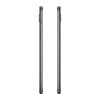
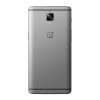
In pictures the LG G5 looks curvy and sleek, but pick up the smartphone and it feels oddly hollow.
LG played up its switch from the plastic body of the LG G4 to a metal one on the G5. However, in the hand the G5 really doesn’t feel like any other metal phone I’ve come across. the handset has an odd finish that feels much more like plastic than the advertised “microdized” metal. I do like the slightly sloping top, though, but it's the only feature that sets it apart.
Related: LG G5 vs Samsung Galaxy S7
 The G5's design is very clean too, with only a single volume clicker and SIM-tray present on either side. The volume control suffers from having a very shallow push, but it's usable nonetheless. While LG has ditched the volume keys on the rear, the lock switch remains in the slightly unorthodox position just below the camera sensors.
In my opinion it's far better to have all the buttons in the same spot, be it on the back or sides of a phone. Positioned as they are, I’m forced to move my hands around the G5 more than normal just to reach everything.
Related: LG G5 vs LG G4
The G5's design is very clean too, with only a single volume clicker and SIM-tray present on either side. The volume control suffers from having a very shallow push, but it's usable nonetheless. While LG has ditched the volume keys on the rear, the lock switch remains in the slightly unorthodox position just below the camera sensors.
In my opinion it's far better to have all the buttons in the same spot, be it on the back or sides of a phone. Positioned as they are, I’m forced to move my hands around the G5 more than normal just to reach everything.
Related: LG G5 vs LG G4
 The standby switch now also houses a fingerprint scanner – something I consider a must for any 2016 flagship. V10 aside, for which there's been no UK launch, this is the first phone from LG to use a fingerprint scanner.
I'm pleased to report that it does a superb job – it’s fast and accurate. In addition, you don’t even have to press down to unlock the phone; simply glide your digit across and it’ll bypass the lockscreen completely.
As with all back-mounted scanners I’ve tried, it can sometimes go off randomly in my pocket. On more than a few occasions I’d pull it out of my pocket to be met with a message reporting "too many incorrect attempts, fingerprint blocked". But I guess this is a side-effect of it being so sensitive. The scanner itself is also quite small, which might be issue if you have large fingers.
The LG G5’s modular system is its stand-out feature. Now, it isn’t quite at Google Project Ara levels of customisability – so you won’t be switching out the RAM or CPU – but it’s clever and unique nevertheless.
It works like this. Along the side of the handset there sits an almost indistinguishable button set just almost flush to the body. Press this in with the tip of your nail and the bottom chin of the phone will pop out; pull it off and out comes the battery.
The battery comes apart from the bottom unit – which can feel like you’re breaking the device – and then you can attach it to other modules, or "Friends" as LG calls them. At launch, there are two modules available and neither are going to be a draw in themselves to sell the phone.
The camera grip adds a touch more battery, a separate shutter button for both photos and video, and a jog dial for zoom. The second module is a DAC powered by some B&O tech. The DAC gives you 32-bit audio and an extra headphone jack.
The standby switch now also houses a fingerprint scanner – something I consider a must for any 2016 flagship. V10 aside, for which there's been no UK launch, this is the first phone from LG to use a fingerprint scanner.
I'm pleased to report that it does a superb job – it’s fast and accurate. In addition, you don’t even have to press down to unlock the phone; simply glide your digit across and it’ll bypass the lockscreen completely.
As with all back-mounted scanners I’ve tried, it can sometimes go off randomly in my pocket. On more than a few occasions I’d pull it out of my pocket to be met with a message reporting "too many incorrect attempts, fingerprint blocked". But I guess this is a side-effect of it being so sensitive. The scanner itself is also quite small, which might be issue if you have large fingers.
The LG G5’s modular system is its stand-out feature. Now, it isn’t quite at Google Project Ara levels of customisability – so you won’t be switching out the RAM or CPU – but it’s clever and unique nevertheless.
It works like this. Along the side of the handset there sits an almost indistinguishable button set just almost flush to the body. Press this in with the tip of your nail and the bottom chin of the phone will pop out; pull it off and out comes the battery.
The battery comes apart from the bottom unit – which can feel like you’re breaking the device – and then you can attach it to other modules, or "Friends" as LG calls them. At launch, there are two modules available and neither are going to be a draw in themselves to sell the phone.
The camera grip adds a touch more battery, a separate shutter button for both photos and video, and a jog dial for zoom. The second module is a DAC powered by some B&O tech. The DAC gives you 32-bit audio and an extra headphone jack.
 I find myself wishing that LG had started off with slightly more enticing accessories. The DAC is a nice idea – I’m all for ways to improve smartphone audio – but the camera grip doesn’t actually make the camera any better; it just makes the shooting process "easier". I also don’t like the fact it encourages people to use digital zoom – photo tech that universally produces terrible photos on all the smartphones I’ve tested, including the G5.
These two modules are also much pricier than I'd anticipated. The B&O DAC costs £150, while the camera grip will set you back £79. Problems will also likely arise when you’re ready to upgrade to the LG G6 – will the new device support the same modules? I'm not convinced.
LG is encouraging third parties to make their own Friends, so hopefully they’ll be a few more to choose from in the coming months. However, if the LG G5 fails to sell in large enough numbers then maybe there won't be much incentive to build a costly module.
The modular system also hampers the build quality of the device. Both parts of the phone don’t quite fit flush together; there’s an ever-so-slight gap between the two. It’s minimal, but wide enough that I can see light filtering through.
I find myself wishing that LG had started off with slightly more enticing accessories. The DAC is a nice idea – I’m all for ways to improve smartphone audio – but the camera grip doesn’t actually make the camera any better; it just makes the shooting process "easier". I also don’t like the fact it encourages people to use digital zoom – photo tech that universally produces terrible photos on all the smartphones I’ve tested, including the G5.
These two modules are also much pricier than I'd anticipated. The B&O DAC costs £150, while the camera grip will set you back £79. Problems will also likely arise when you’re ready to upgrade to the LG G6 – will the new device support the same modules? I'm not convinced.
LG is encouraging third parties to make their own Friends, so hopefully they’ll be a few more to choose from in the coming months. However, if the LG G5 fails to sell in large enough numbers then maybe there won't be much incentive to build a costly module.
The modular system also hampers the build quality of the device. Both parts of the phone don’t quite fit flush together; there’s an ever-so-slight gap between the two. It’s minimal, but wide enough that I can see light filtering through.


LG G5 – SCREEN
5.3-inch, IPS LCD, quad-HD display with always-on mode
LG’s past few flagship devices have benefited from impressive displays.
While they can't be described as perfect, they’ve always adopted new tech and utilised it well. LG was one of the first manufacturers to really bring quad-HD, 2,560 x 1,440 panels to the mainstream, for example, and since the G3 it has gone from strength to strength.
I’m happy to say that the display on the LG G5 is the best yet – even though on the surface it appears that not a whole lot has changed.
LG hasn't made the switch to a 4K display; it remains quad-HD. Although in my opinion this isn't a bad thing – quad-HD is the highest resolution a phone needs to be unless it will be used for VR. The display on the G5 remains a IPS LCD panel too, rather than the AMOLED panels favoured by Samsung and Google.
The biggest change here is that the screen is actually marginally smaller than before – 5.3-inches as opposed to 5.5-inches. But the number of pixels remain the same; they're simply crammed into a smaller surface area.
The display is ridiculously sharp, far more true-to-life and softer than the Galaxy S7 display. This isn't necessarily a positive, though – it’s all down to personal taste, with some preferring accurate colours over vibrancy. Viewing angles are on point.
LG has also improved the brightness of the screen, not that the G4 suffered much in this area. At its highest, it's at 900 nits, but there will be few instances in which it will need to be set so high. Around 50% is right, or you can opt for auto-brightness.
I'm not a fan of auto-brightness on Android devices, and it's no different here. It’s too obvious, results in a stuttering motion and is rarely accurate in its judgements.
Related: Android N hands-on
 The G5 display's black level – an area in which many IPS displays struggle – is solid. While not as deep as those on the Samsung Galaxy S7, blacks on the LG G5 are suitably inky and deep, and mean the display has a great contrast ratio.
Just like the Samsung Galaxy S7, the LG G5 has an "always-on" display mode, so the time and your notifications remain visible even when the phone is locked.
LG’s implementation is much better than that of Samsung in just about every way. It uses less battery, about 12% a day (8am to midnight) as opposed to the Galaxy S7’s 15%. The LG G5’s always-on screen also displays all your notifications, including those from WhatsApp and Gmail. This makes it far more useful than the S7, which pushes alerts from only a limited selection of apps.
The display on the G5 is less customisable, however, and since it isn’t AMOLED, it lights up every pixel rather than just the clock. This means it’s far more noticeable, and more distracting, in low light.
The G5 display's black level – an area in which many IPS displays struggle – is solid. While not as deep as those on the Samsung Galaxy S7, blacks on the LG G5 are suitably inky and deep, and mean the display has a great contrast ratio.
Just like the Samsung Galaxy S7, the LG G5 has an "always-on" display mode, so the time and your notifications remain visible even when the phone is locked.
LG’s implementation is much better than that of Samsung in just about every way. It uses less battery, about 12% a day (8am to midnight) as opposed to the Galaxy S7’s 15%. The LG G5’s always-on screen also displays all your notifications, including those from WhatsApp and Gmail. This makes it far more useful than the S7, which pushes alerts from only a limited selection of apps.
The display on the G5 is less customisable, however, and since it isn’t AMOLED, it lights up every pixel rather than just the clock. This means it’s far more noticeable, and more distracting, in low light.